Patient Portal

The blue box below has the link to log in, but PLEASE read the information on this page prior to logging in to avoid problems with messaging and scheduling appointments.
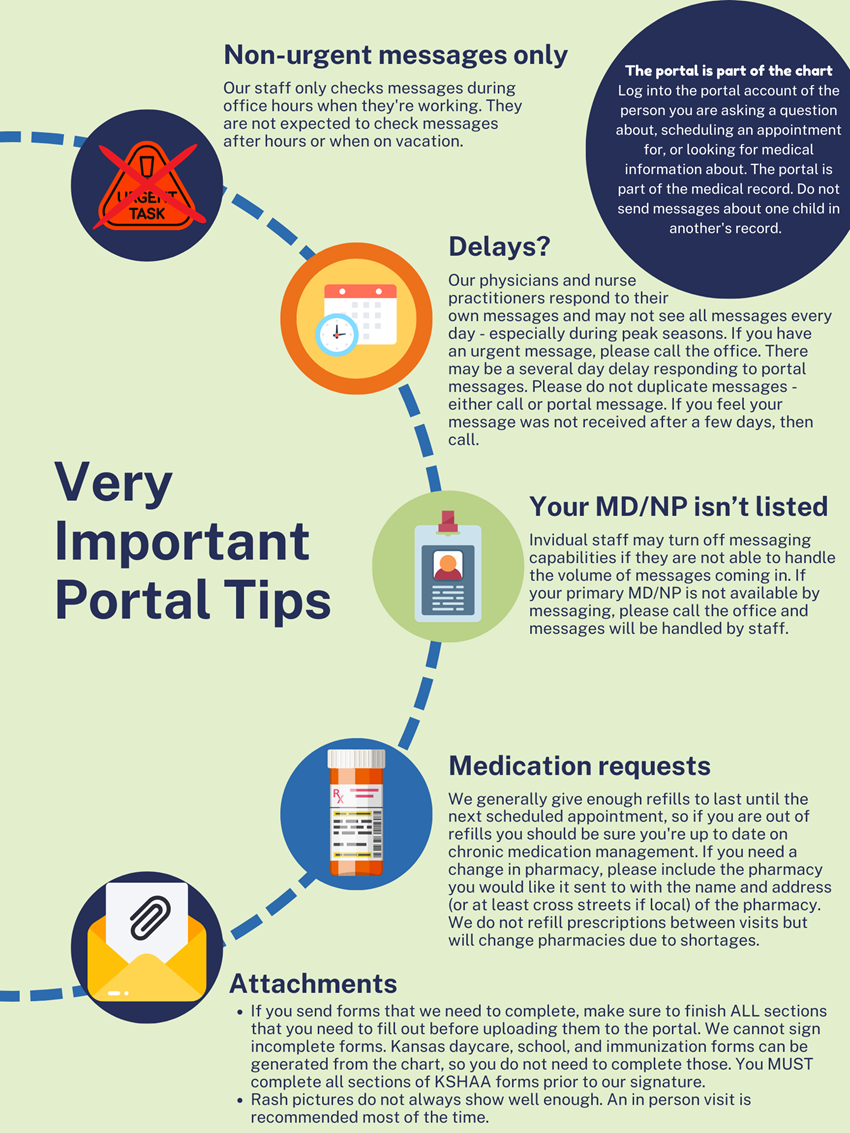
If you do not see the name of the person you are trying to message, it means they are not available for messaging at this time. You are messaging the person identified in the drop down - our clinicians handle their own messages. Please do not send your message to someone else if the person you are looking for is not available - call the office and staff will assist you. See the image for details.
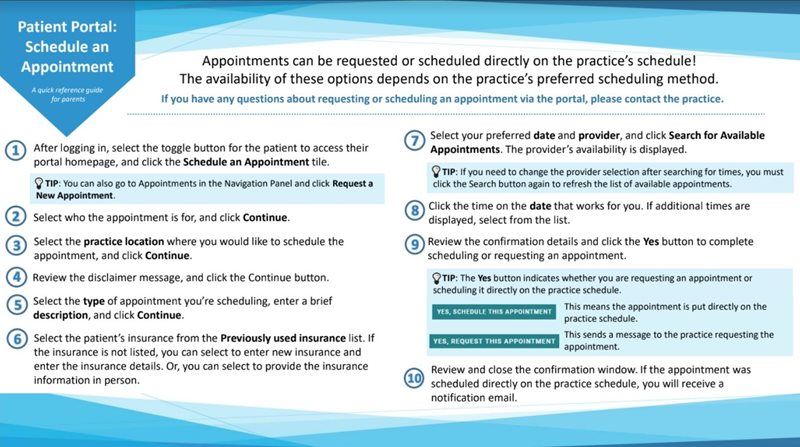
Tips on scheduling: Our templates allow for different amounts of time for well, sick, mental and behavioral health, and injury visits.
- Only routine well visits can be used for the well visit spots and acute sick visits (not issues that have been ongoing) can be scheduled in the sick visit spots or it causes problems with the EHR template flow.
- All medication refill visits, mental health concerns, and management of chronic issues need to be scheduled by phone.
- If visits are inappropriately scheduled, our staff will reschedule them to another time.
Log into the portal from the link in the box below - but please read the information in the box first!
Services
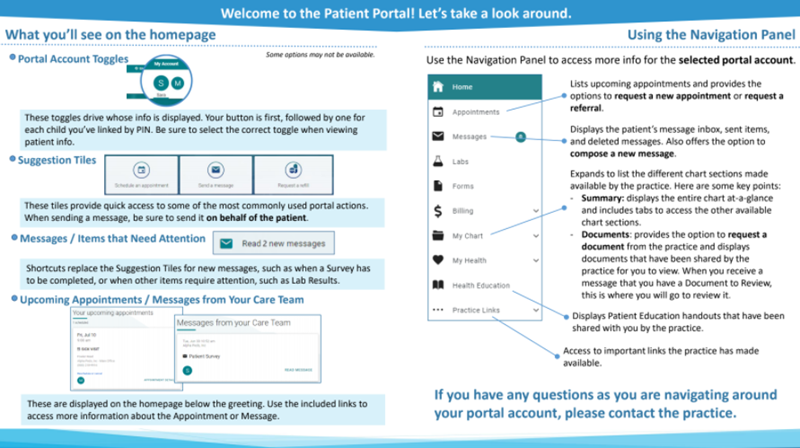
Each patient's portal is part of their chart
You should log into the portal account of the person you are asking a question about, scheduling an appointment for, or looking for medical information about. The portal is part of the medical record. Please do not send messages about one child in another's record.
If you cannot find what you're looking for in the portal, please call the office during business hours and we'll walk you through it!
Log into the Patient Portal
Call or message: Please don't duplicate the message.
Please do not send a portal message and call unless your situation changes and requires a more immediate response.
We are receiving a very large number of messages at this time and this doubles the already large volume of messages to address (our physicians and NPs must read and address all the calls handled by our phone nurse in addition to portal messages sent to them).
Thank you for your patience as we attempt to handle all messages.
As of March 30, 2020, we may charge for phone calls and portal messages as per the 2020 Current Procedural Terminology (CPT®) codes and regulations.
If you need access to your child's portal please call us at 913-888-4567 during normal business hours or email office@pediatricpartnerskc.com to request portal setup.
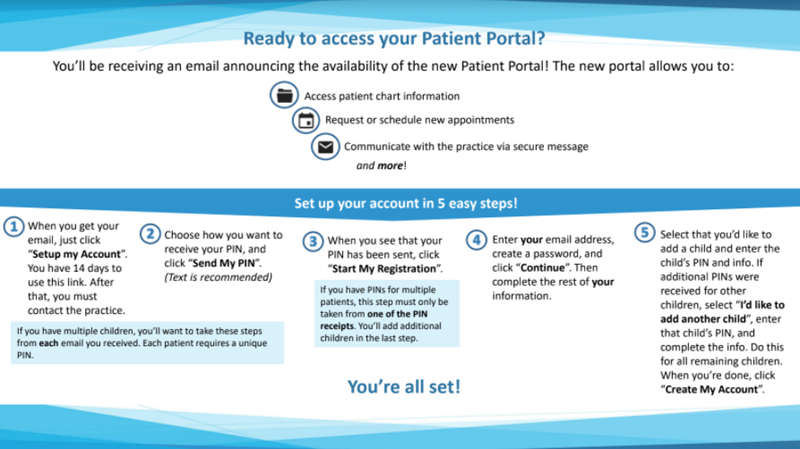
To Register For The New Patient Portal:
To register a patient for the new portal, you will need the patient PIN number provided by the office via your Welcome Email. Parents will register themselves for the portal and then use the patient PIN provided to them to add each child to their account. These PIN's are sent via an email from no-reply@ptportal.com. Many of our families are finding that they do get caught in their spam filters. Please check your spam filter before calling the office to see if yours is stuck there.
Patients over 18 years of age will need to set up their own portal account. Parents will no longer be able to have a portal account for their young adult children unless there are special circumstances, such as a developmental delay that impairs their ability to have their own account. You will need to provide guadianship papers before we can legally grant access to a portal of anyone over 18 years of age.
As of March 30, 2020, we may charge for phone calls and portal messages as per the 2020 Current Procedural Terminology (CPT®) codes and regulations.